
Photo Collage Template
Pick a layout, drop in your photos and get a clean, evenly spaced collage in seconds. This collage maker works entirely in your browser: choose from grid and feature layouts, drag each photo to frame it, zoom in on the best part, adjust the gaps and colours, and download a full-resolution image sized for social media or printing.
- Free to use
- No sign-up
- Runs in your browser
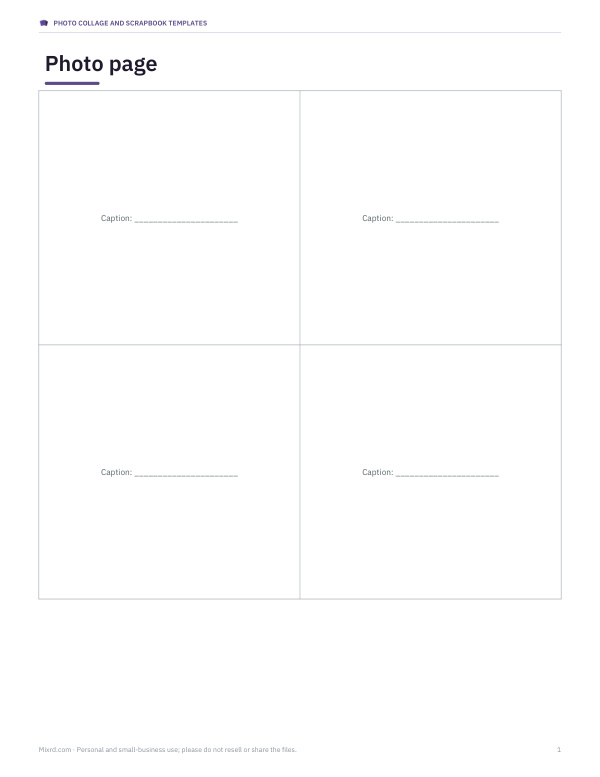
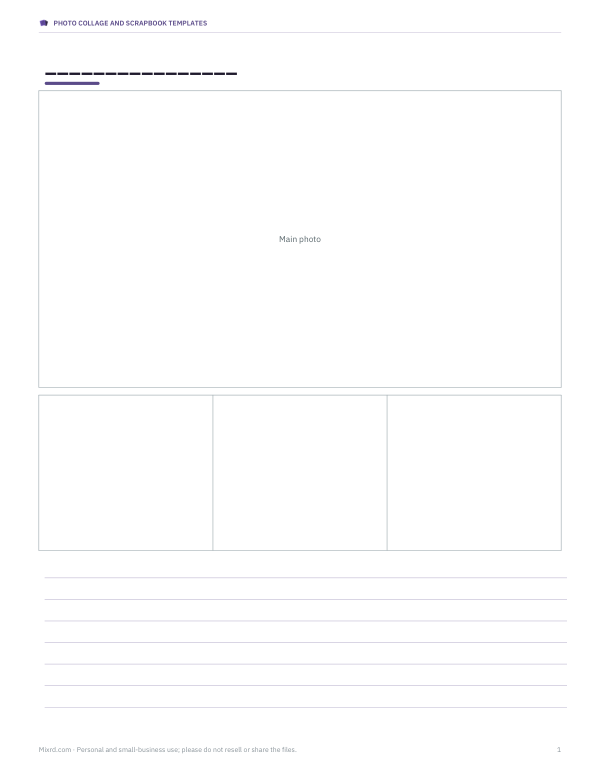
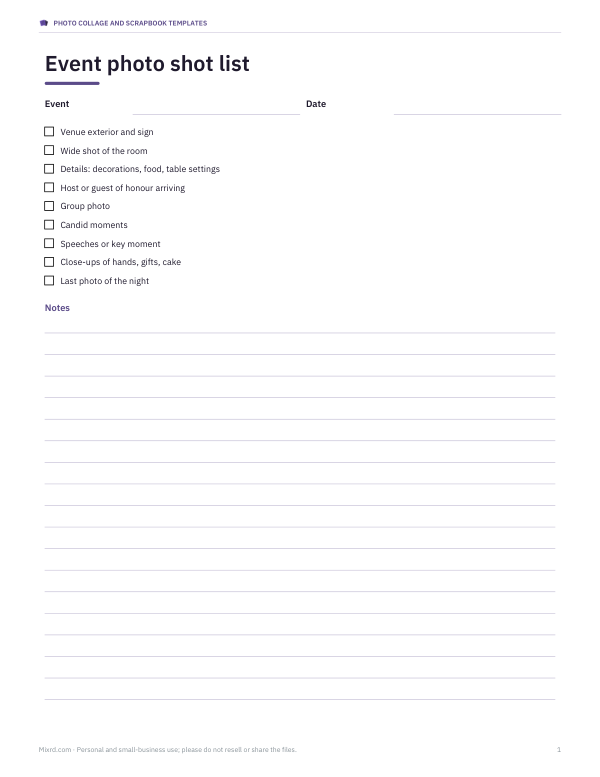
Photo collage maker
Click a photo to select it, drag to reposition it, and use Zoom to crop in. Click “Swap” to move the selected photo to the next cell.
Photo Collage and Scrapbook Templates
Printable collage and scrapbook page templates for A4 and Letter with photo frames and captions, an event photo shot list and a photo organiser spreadsheet.
- Grid page (PDF)
- Feature page (PDF)
- Shot list (PDF/DOCX)
- Photo organiser (XLSX)
Formats: PDF, DOCX, XLSX. Instant download after payment (link valid 72 hours, up to 5 downloads). AI-assisted: the templates were drafted with AI help and reviewed and laid out before publishing.
$5.00 USD, one-time 4 files · about $1.25 each
- Instant download
- 7-day refund
- Secure checkout by Stripe
7-day money-back guarantee. Full refund within 7 days of purchase, even after you download.
Free sample: Collage Page Grid (PDF, 52 KB)
Full refund within 7 days — see the refund policy and license.
Free printables
Single sheets you can print right now, no sign-up. The full pack adds every sheet in one download plus the editable files.
 Printable Photo Organiser Sheet
How to make a collage
- Click “Add photos” and select several pictures at once. They fill the cells in order.
- Choose a layout — grids for equal photos, feature layouts to make one photo the star.
- Pick the output size for where the collage will be used.
- Click a photo to select it, drag it to frame the subject, and zoom in if needed.
- Adjust spacing, rounded corners and the background colour.
- Download a PNG (sharpest, larger file) or JPEG (smaller file, ideal for sharing).
Sizes for social media and printing
| Use | Pixels | Shape |
|---|---|---|
| Instagram / Facebook square post | 1080 × 1080 | 1:1 |
| Instagram portrait post | 1080 × 1350 | 4:5 |
| Stories, Reels covers, TikTok | 1080 × 1920 | 9:16 |
| Presentations, YouTube, desktop | 1920 × 1080 | 16:9 |
| 6 × 4 inch photo print | 1800 × 1200 at 300 dpi | 3:2 |
| A4 print | 2480 × 3508 at 300 dpi | 1:1.41 |
Platforms change their recommended sizes from time to time, but these shapes are widely used. For prints, 300 pixels per inch gives sharp results at normal viewing distance.
Choosing a layout
- 2 side by side — before and after, then and now.
- 1 large + 2 or 3 — a hero shot with supporting details, such as a room and its close-ups.
- 2 × 2 and 3 × 3 grids — events, trips and product ranges.
- Strip — a photo-booth look, perfect for stories.
- 3 columns — tall portraits side by side.
Getting a good-looking collage
- Use photos with similar light and colour, or convert them all to black and white first.
- Leave consistent spacing; white or a colour from the photos both work well.
- Keep faces away from the edges of cells, where they can be cropped.
- Use rounded corners sparingly — small radii look modern, large ones playful.
- Check the collage at phone size before posting; detailed photos can get lost in small cells.
Worked example
For a 2 × 2 grid on a 1080 × 1080 square with 20 px spacing, each cell is (1080 − 3 × 20) ÷ 2 = 510 pixels square. A 4000 × 3000 phone photo is scaled so its shorter side fills 510 pixels, and the extra width is cropped — drag it to choose which part stays. For the A4 print size, the same layout gives cells about 1,170 × 1,690 pixels, so use your best-quality originals.
Photo quality and resolution
A collage can only be as sharp as the photos in it. When a photo is zoomed in or placed in a large cell of a print-size collage, its original pixels are stretched; phone photos of 12 megapixels or more hold up well, but small images saved from messaging apps may look soft. Download PNG for the best quality, then share a JPEG if a site limits file size.
Collage ideas
- Travel — one landscape as the large photo with food, people and details around it.
- Before and after — a room makeover, a haircut, a garden through the seasons.
- Product range — the same background and lighting for every item in a 3 × 3 grid.
- Year in review — twelve months as a 3 × 3 grid plus a strip, or one photo per month over several collages.
- Recipes — ingredients, steps and the finished dish in a strip for stories.
- Family gifts — print an A4 collage and frame it.
Spacing, borders and colour
Spacing does a lot of the design work. Thin gaps of 5–10 pixels feel modern and let photos read as one image; wider gaps of 30–60 pixels give each photo its own frame, like a gallery wall. White and off-white backgrounds suit most photos; black makes colours pop; a colour sampled from one of the pictures ties the collage together. Rounded corners soften the look and suit playful subjects, while square corners feel cleaner and more editorial.
Printing your collage
For a photo lab print, choose the 6 × 4 in or A4 size, download a JPEG at high quality or a PNG, and upload it to the lab at the matching print size so nothing is cropped. At home, print on photo paper with your printer set to “best” quality and borderless if it supports it. If the print looks darker than the screen, brighten your photos slightly before making the collage — screens are backlit, paper is not.
Privacy
Your photos are opened and combined in your browser only. They are not uploaded, stored or seen by anyone else; the finished collage is saved straight to your device.
Templates pack
The optional pack contains printable collage and scrapbook page templates for A4 and US Letter with photo frames and caption lines, a photo shot list for events, and a photo organiser spreadsheet. The collage maker above is free.
AI-assisted content
This page was drafted with AI assistance and reviewed before publishing.
Frequently asked questions
How do I make a photo collage?
Add photos, choose a layout and size, frame each photo, and download.
What size should an Instagram collage be?
1080 × 1080 for square posts or 1080 × 1350 for portrait posts.
Are my photos uploaded?
No, everything happens in your browser.
Can I print the collage?
Yes, choose 6 × 4 or A4 at 300 dpi.
Can I move photos between cells?
Yes, select a photo and click Swap with next.
PNG or JPEG?
PNG for best quality; JPEG for smaller files.
How many photos can a collage have?
Up to nine in the 3 × 3 grid; make several collages for more.